v2.6.2 Release Notes
October 8, 2026This release lets a consultation hold several recordings at once, brings a real A4 page with a zoom menu to the report editor, merges the recording history into the dictation history, and adds a duplicate action for consultations — along with several report and transcription improvements.
What's New
-
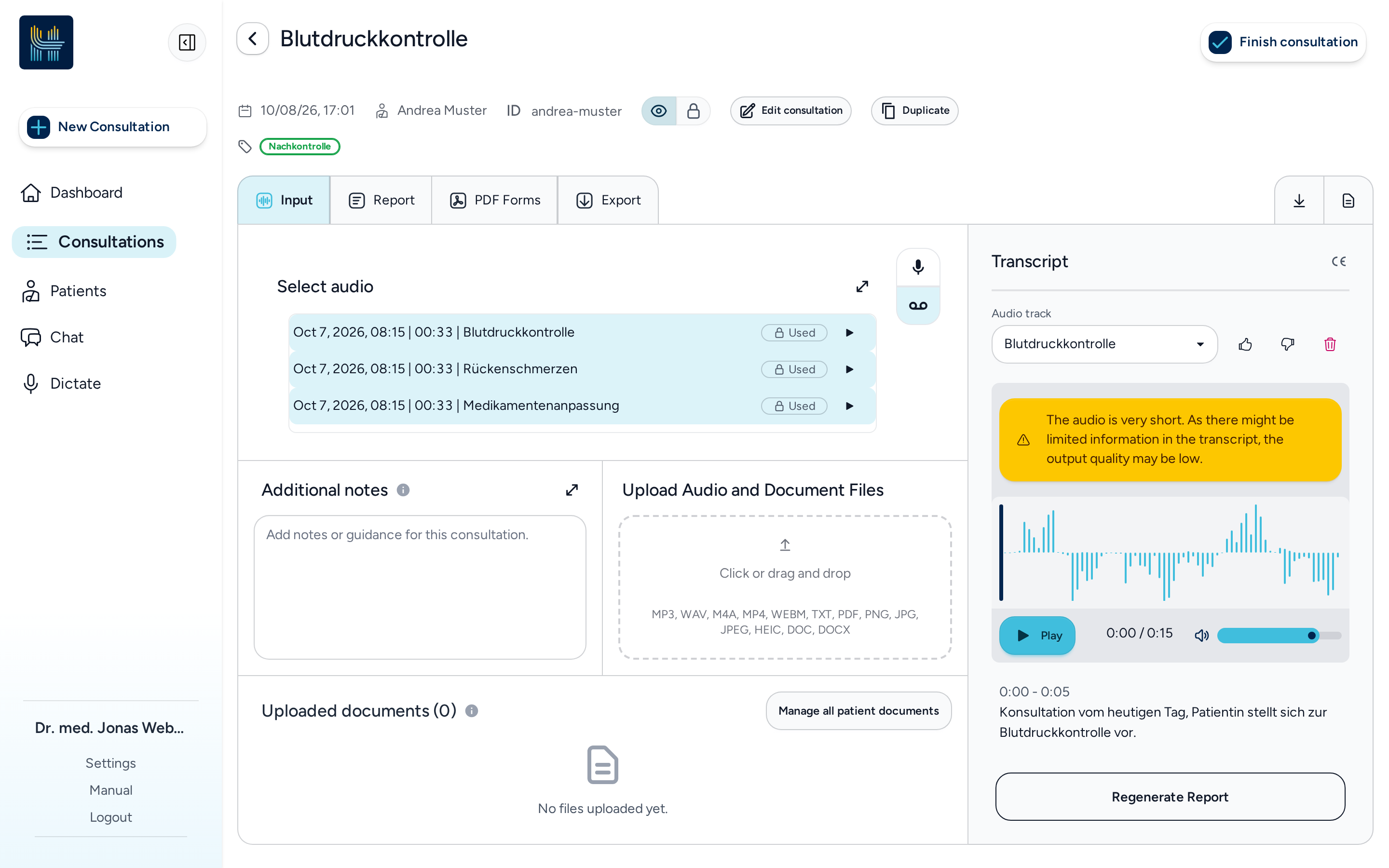
UI API Several recordings in one consultation: A consultation can now hold more than one recording. You can attach several recordings, switch between them in the transcript panel, and report generation takes all of them into account. Recordings can be added or removed even after a report was generated, as long as the consultation is not yet approved. Removing a recording from a consultation never deletes it, so it stays available for another consultation.
-
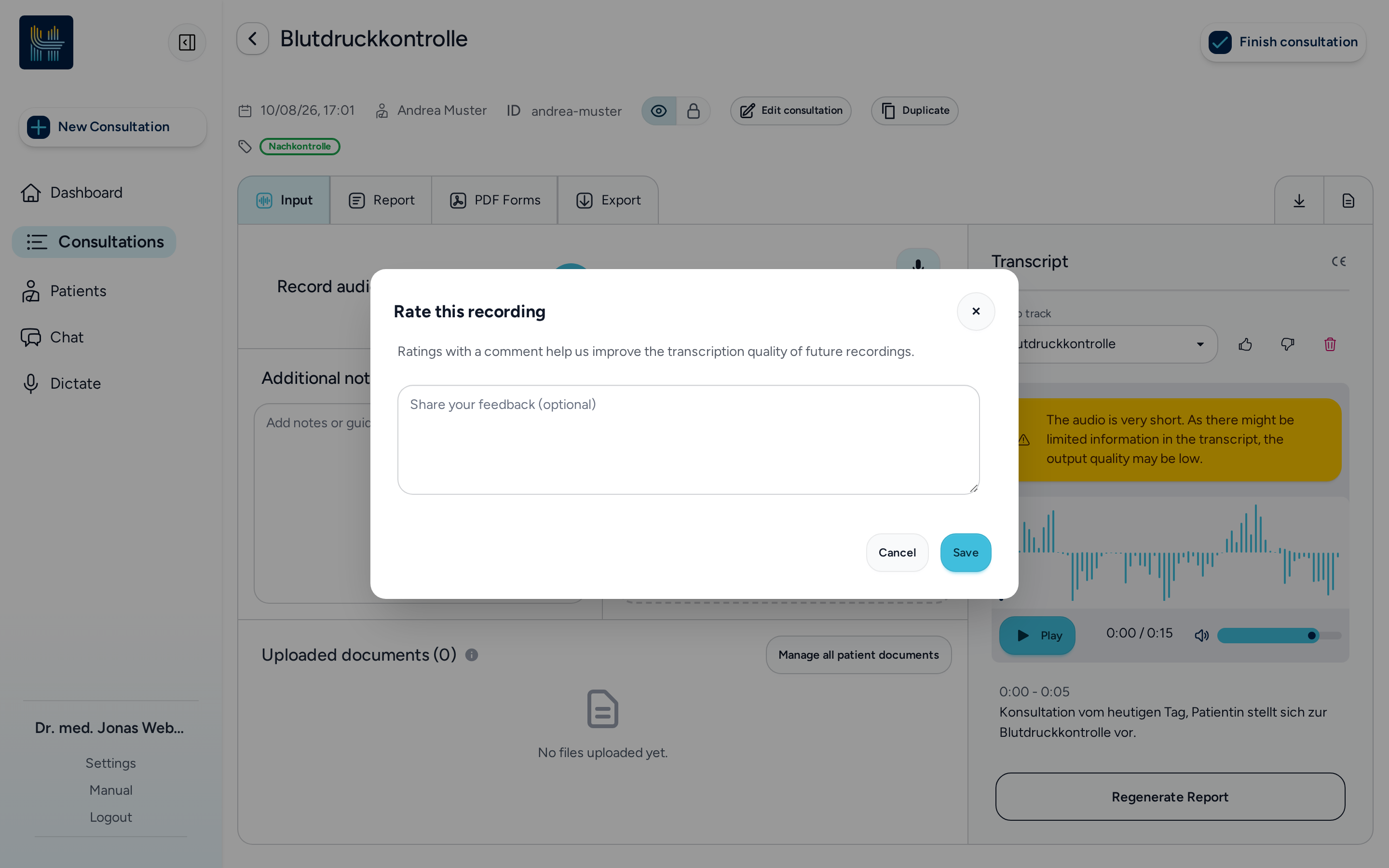
UI API Rate a transcription: The latest transcription and the entries in the recording history can now be rated with a thumbs up or down and an optional comment, so you can tell us how well a recording was understood.
-
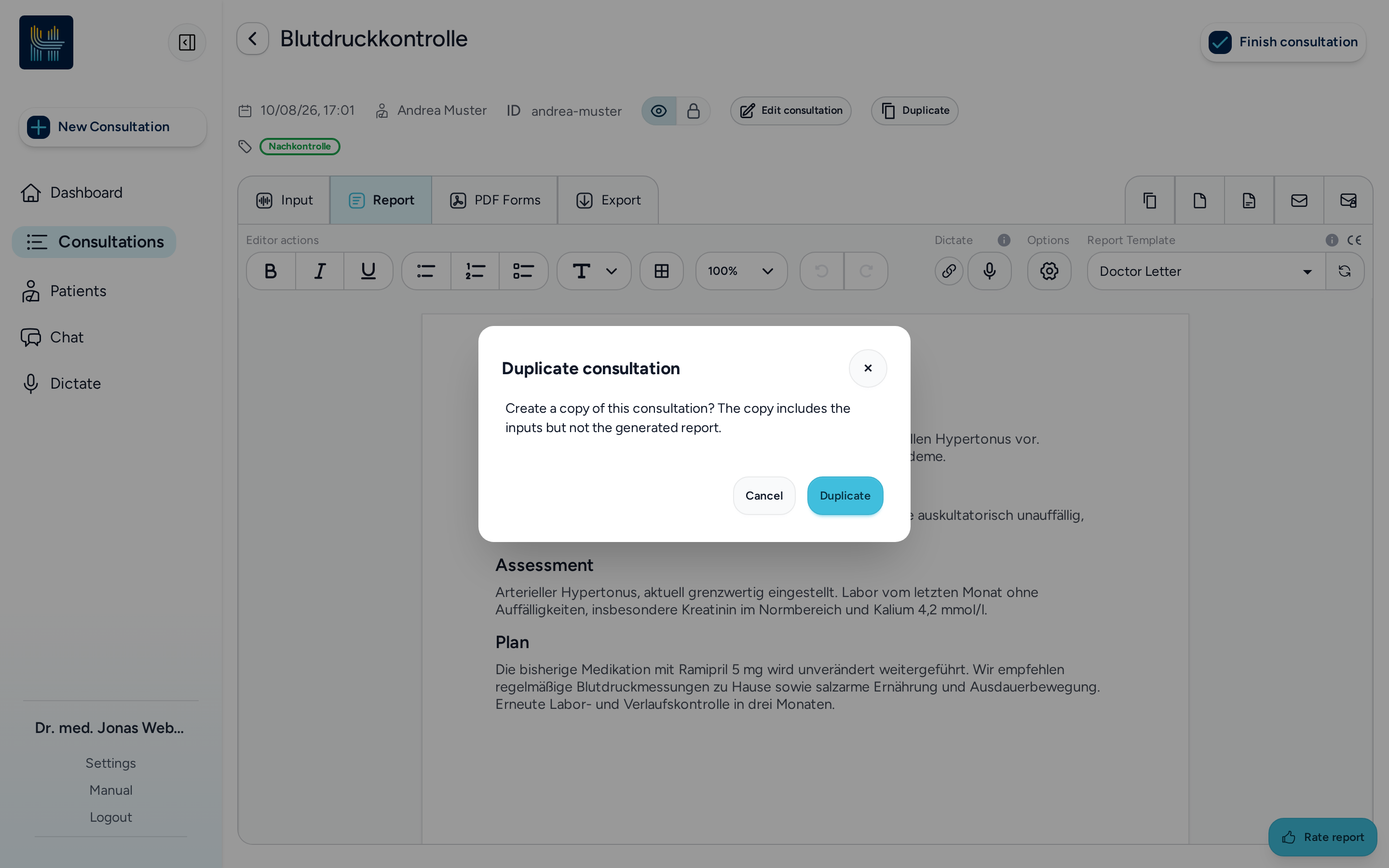
UI API Duplicate a consultation: A consultation can be duplicated from its page or from the list. The copy carries over the inputs — patient context, instructions, recordings, template, glossaries and tags — and opens ready for editing, while the generated report and its approval are not copied.
Improvements
-
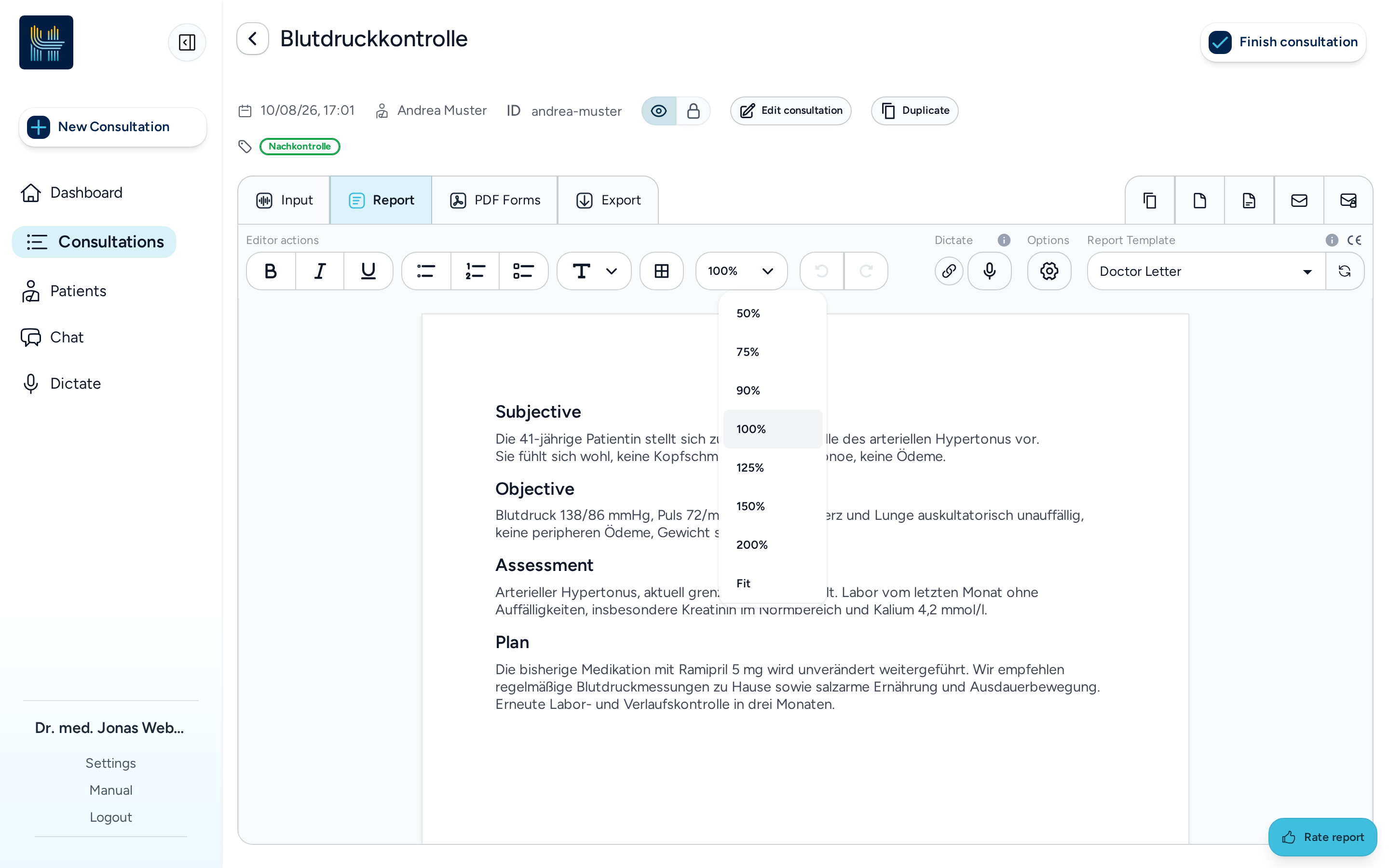
UI API A4 page with a zoom menu: The editor now draws the report on an A4 sheet, like a word processor, with a zoom menu (Fit, 50–200 %) that scales page, margins and text together. Your chosen zoom is remembered as a personal setting.
-
UI API Dictation at the cursor: In the chat, a dictation is now inserted at the cursor and replaces only the selected text instead of the whole input. Dictation requests also carry the surrounding text, so the transcription can take what you are writing into account.
-
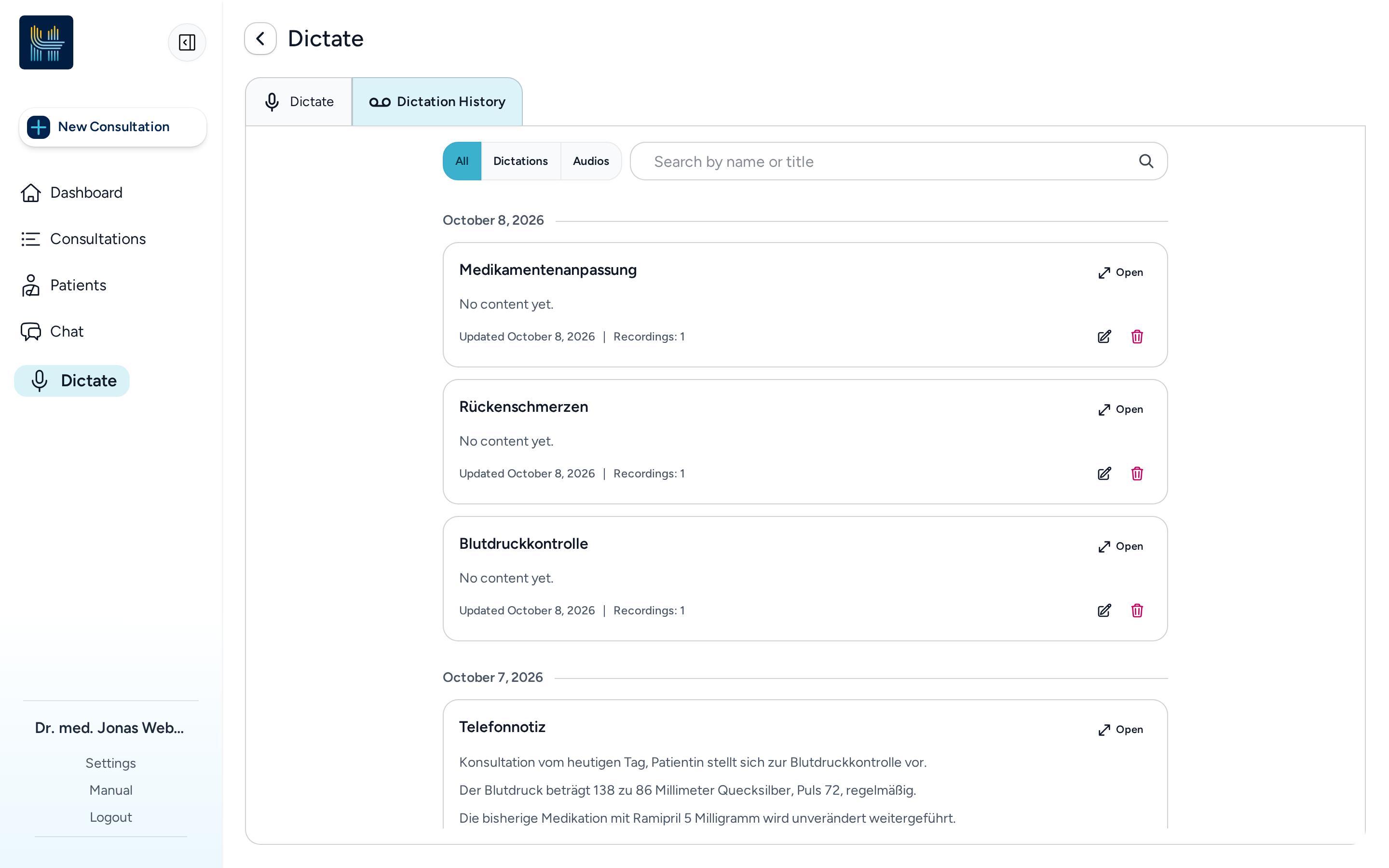
UI Recordings and dictations in one history: The recording history is now part of the dictation history; a recording's automatically generated title becomes the dictation's title, and recordings can be searched by title in the consultation's audio selector.
-
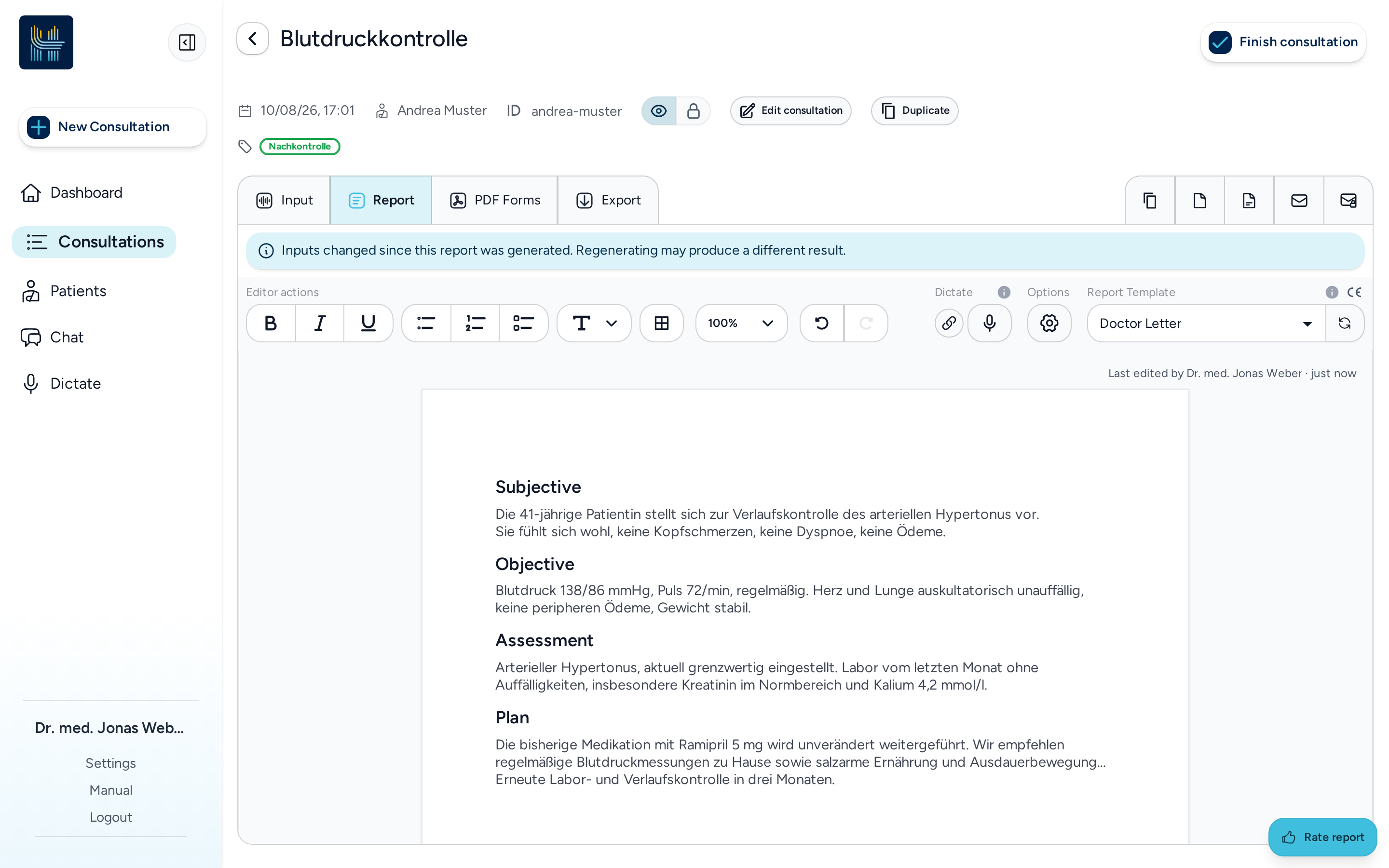
UI API Report status: A report now shows who edited it last and when, and the editor indicates when the consultation's information has changed since the report was generated, so you can see when a report may be out of date.
-
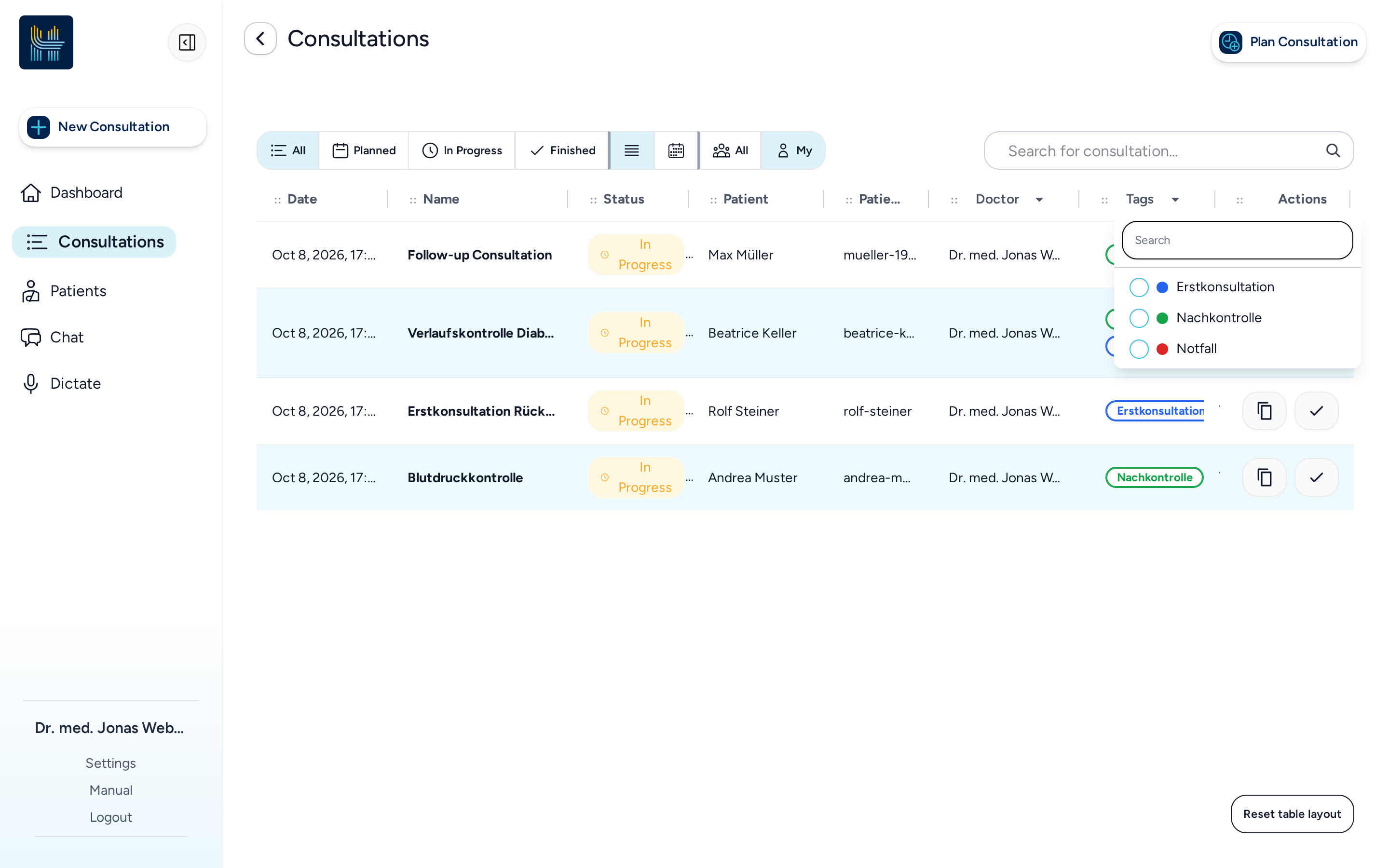
UI Consultation table: The consultation list can be filtered by doctor and by tag, and its columns can be rearranged and resized to suit your workflow.
-
UI API Recordings in shared consultations: A recording that belongs to a consultation can now be played by anyone who can open that consultation, not only by the person who recorded it. Recordings that no shared consultation references stay private.
-
API Security improvements: We hardened the security of our platform to further reduce the risk of vulnerability exploits.
Bug Fixes
-
UI API Report editing and generation: Several issues around reports have been fixed — section titles now wrap with their paragraph instead of indenting the following line, source references stay with the sentence they cite, reports exported to your practice system keep the correct numbering, and reports created from large patient records now include all their references.
-
UI Report editor: An unset zoom level now shows the page at 100 % instead of leaving it blank, and a colleague in the same institution can save a report of a consultation without a patient context.
-
UI API Patient documents: Patient documents are now always loaded through Haidy, so all supported file types preview reliably.
-
UI API Various smaller fixes: Several smaller display, text and patient-link issues have been fixed.